Real-Time Market Line Changes: A Fantasy Sports Alert Guide

Table of Contents
- Why Real-Time Market Line Changes Matter for Fantasy Sports
- Setting Up Real-Time Betting Odds Alerts
- Using an NFL Line Movement Tracker to Identify Edges
- Fantasy Football Injury Alerts and Lineup Impact
- Choosing a Fantasy Football Start Sit App
- Connecting Line Movement to Your Weekly Decisions
- Common Mistakes When Acting on Market Alerts
- Frequently Asked Questions
Last Updated: October 18, 2026
Why Real-Time Market Line Changes Matter for Fantasy Sports
Real-time market line changes reveal what sharp bettors and sportsbooks know before the general public. These shifts happen fast, sometimes within minutes, and they signal major moves in probability that directly affect your fantasy lineup decisions.
Here's the core insight: when a line moves significantly, it's not random. Professional bettors, injury reports, or weather updates trigger these shifts.
At EdgeLine NFL, we track these movements continuously. The difference between catching a shift early and missing it entirely can swing your week.
Setting Up Real-Time Betting Odds Alerts
Most guides tell you to "set alerts" and stop there. The useful part is the configuration itself: which channel fires, how often it can fire, and what number triggers it. Build your setup in four layers.
Layer 1: Pick the notification channel by decision speed
Match the channel to how fast you can actually act:
- Push notification (mobile app): fastest, best for in-game or pre-kickoff moves you can act on within minutes. Cap these tightly, they are the easiest to ignore.
- Email: slower but searchable and archivable. Good for overnight or early-morning sharp moves you review with coffee.
- Desktop or web dashboard: best for managing a full slate while you work. You watch a board rather than react to pings.
- SMS or text: reserve for a short list of must-know events, a starting quarterback ruled out, a game total crossing a key number.
A common pattern is push for a handful of high-priority players, email for slate-wide movement, and a dashboard open on a second monitor on Sunday morning. Running all four channels at full volume is how alert fatigue starts.
Layer 2: Set thresholds per market, not globally
A single threshold across every market produces noise. Set them separately:
- Spread: alert at 1 point or more of movement from the opening number. Half-point moves are usually noise unless they cross a key number (3 and 7 are the classic NFL examples).
- Total: alert at 1 point or more, and always alert when a total crosses a key number like 3, 7, or 10 relative to the spread.
- Moneyline: alert on a meaningful shift in implied probability, roughly 3 to 5 percentage points, rather than a raw odds change, since the same odds move means different things at different price levels.
- Player props: alert on a percentage move in the prop line (for example, a receiving-yards line moving a full yard or more), because prop lines are smaller and a half-yard move is often just book balancing.
Write your thresholds down. If you cannot state your rule in one sentence, "alert me when the spread moves a full point off the opener", you do not have a rule yet.
Layer 3: Cap frequency and batch the noise
Set a cooldown so the same game cannot ping you more than once every 15 to 30 minutes unless the move is large. Batch lower-priority alerts into a digest, a single morning email listing every line that moved overnight, instead of one notification per game. The goal is a signal-to-noise ratio you will actually keep paying attention to in Week 12, not just Week 1.
Layer 4: Verify before you trust
Before an alert changes your lineup, confirm two things: the timestamp and the source. Check when the move actually happened against a major sportsbook's current number. An alert that arrives well after the move is not actionable.
Using an NFL Line Movement Tracker to Identify Edges
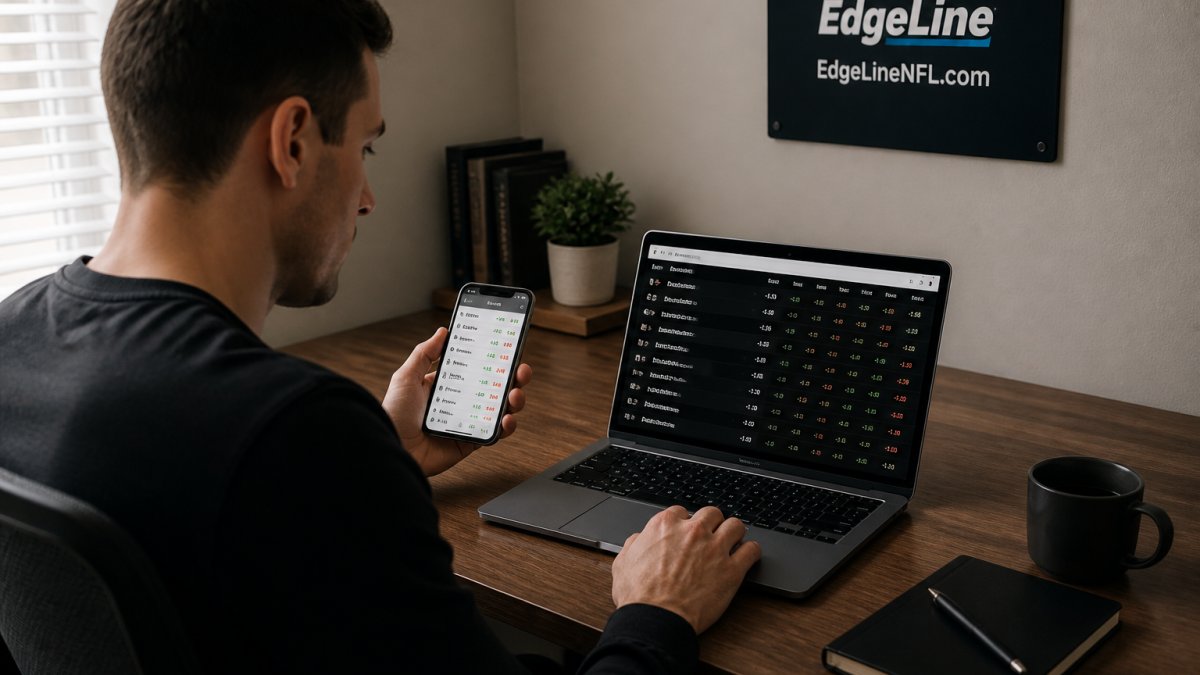
An NFL line movement tracker shows you not just where lines are, but where they came from and why they moved. This context is everything.
When a line moves, ask: Is it sharp action (professional bettors), public action (casual bettors), or news (injury, weather)? Sharp moves usually happen first and are smaller. Public moves come later and are often larger.
Trackers that show movement history let you spot patterns.
For fantasy, the most useful tracker shows:
- Spread and total movement by time
- Implied win probability shifts
- Comparison across multiple sportsbooks
- Historical line data for the same matchup
This helps you understand not just "the line moved" but "why it matters for my lineup."
Fantasy Football Injury Alerts and Lineup Impact
Injury news and line movement are connected. When a star player is ruled out, the line moves immediately. When that player is questionable, the line may move in stages as the status becomes clearer.
Set up injury alerts alongside your line alerts. The combination tells you the full story. A line move without an obvious injury news trigger might signal something the public hasn't learned yet.
For fantasy, prioritize alerts on:
- Starting running backs and wide receivers
- Quarterback injuries that affect game script
- Offensive line changes that impact pass protection
- Defensive injuries for teams you're targeting
The key is connecting the alert to your specific lineup. If you don't own the injured player and aren't fading their team, the alert doesn't matter to you. Filter ruthlessly.
Choosing a Fantasy Football Start Sit App
A start/sit app is only as good as the inputs behind its rankings. The feature that separates a useful app from a static cheat sheet is whether it updates when the market moves, and whether it shows you why. Here is what to look for, and how to use it.
What the app should show you
- Live rankings that re-rank on news: if a starting running back is ruled out Sunday morning, his backup's projection should move within minutes, not after you refresh manually.
- Matchup context: pass-defense and run-defense rankings, pace of play, and opponent tendencies, the inputs that explain a ranking rather than just assert it.
- Vegas context: the game total and spread, ideally with the opening number so you can see which way the market moved. A total that has climbed since the opener tells you the market expects more scoring than it did earlier in the week.
- Injury status and backup implications: not just "questionable," but who benefits if the player sits.
- Weather: wind and precipitation matter most for kicking and deep passing; an app that flags them helps you avoid a trap start.
How market data should change the call
The app should let you connect the line to the decision, not just display both. A practical workflow:
- Check the total first. A total that has moved up meaningfully since the opener points to a higher-scoring environment, a mild tailwind for pass-catchers and a slight headwind for grind-it-out running backs. A total that has dropped points the other way.
- Check the spread direction. If a team's spread has moved in its favor, the market expects a more favorable game script, often more favorable for that team's skill players. If it has moved against them, expect a tougher environment.
- Check the player's own prop line, if available. A receiving-yards or rushing-yards prop that has moved up since it opened is a market signal that the player's expected role or matchup has improved. That is a useful tiebreaker when your rankings are close.
- Reconcile with the ranking. If the app's ranking and the market signal disagree, that is your cue to dig into why, an injury the market has priced in that the ranking has not, or vice versa.
What to avoid
Be wary of apps that show static pre-week rankings with no timestamp, or that display a spread and total without the opening number so you cannot see movement. An app that pushes a notification but does not show you the updated projection behind it gives you a trigger without a decision.
Use push notifications as a prompt to open the app and review, not as the final word. The app is one input; your lineup is the decision.
For a deeper look at how EdgeLine NFL frames matchup and market context, see our weekly analytics at https://www.edgelinenfl.com.
Connecting Line Movement to Your Weekly Decisions
Here's where the pieces come together. You see a line move. You get an injury alert. You check your start/sit rankings. Now what?
Start by understanding the direction of the move and what it means:
- Line moves against your player: Their matchup got harder. This is a weak signal to sit them unless the move was massive. The line reflects aggregate opinion, not certainty.
- Line moves in favor of your player: Their matchup got easier. This can justify starting a bench player over a starter facing a tougher matchup.
- Total moves up: Expect more points, more passing, more big plays. Prioritize high-ceiling plays.
- Total moves down: Expect a grind-it-out game. Prioritize floor plays and volume.
Connect these signals to your specific players. If you own a wide receiver and the game total dropped 3 points, that's a modest headwind. If the spread moved 2 points against their team, they face a tougher environment.
The mistake most players make is treating each signal independently. Line movement, injury news, and rankings all interact. Weave them together.
Common Mistakes When Acting on Market Alerts
Ignoring context. A line move without a reason is suspicious.
Treating alerts as predictions. A line move tells you what the market thinks, not what will happen.
Alert fatigue. Too many alerts and you stop paying attention. Set thresholds high enough that most alerts matter.
Acting without a plan. Before you set up alerts, decide: What will I do if I get this alert?
Staying updated with real-time market line changes and alerts for fantasy sports is a skill that takes practice.
Get the Edge! Subscribe Now at https://www.edgelinenfl.com.
Remember: Gambling should be fun.
Frequently Asked Questions
How can I get alerts when betting lines change?
Most modern sports platforms and dedicated alert services let you set custom thresholds for line movement. You define the sport, team, and the point-spread or over/under shift that triggers a notification. Set up alerts through your preferred platform, configure your thresholds based on your strategy, and enable push notifications on your phone. Verify that your alerts are firing in real time by watching a live market during game week to confirm latency and accuracy.
What does line movement mean for fantasy football?
Line movement reflects how sportsbooks adjust odds based on betting volume and sharp action. When a line moves significantly, it often signals where professional bettors and syndicates are placing money. For fantasy players, sharp line movement can indicate injury concerns, weather impacts, or matchup expectations that affect player performance. Tracking this movement helps you understand what the market is pricing in before you lock your lineup.
How should I use injury alerts when setting a fantasy lineup?
Set up injury alerts for your key players and their backup options. When a star player is ruled out or questionable, the backup's value changes immediately. Real-time injury alerts let you adjust your lineup before the game starts, rather than discovering the news after kickoff. Combine injury alerts with start/sit recommendations to make informed last-minute swaps that protect your roster from unexpected absences.
Is there an app that can tell me who to start in fantasy football?
Several platforms combine real-time alerts, injury data, and matchup analysis to provide start/sit guidance. Look for apps that integrate player news, weather updates, and defensive matchups into their recommendations. The best options update their advice throughout the week as new information arrives, not just once on Sunday morning. Verify that any app you choose clearly explains its reasoning and tracks its recommendation accuracy over time.